


Most Jamaican business owners know they should pay attention to their website traffic. Few actually do. The ones who do tend to make better decisions, spend money more carefully, and grow faster online. Google Analytics 4 is the free tool that makes all of this possible, and if your website does not have it set up, you are operating blind.
This guide walks through everything you need to know: what GA4 is, how to install it on your Jamaican business website, and which numbers actually matter.
What Google Analytics 4 is and why it replaced the old version
Google retired Universal Analytics (the previous version) in 2024 and replaced it with Google Analytics 4. The core idea is the same: you get a free dashboard showing who visits your site, where they come from, and what they do when they arrive. What changed is the underlying model. GA4 tracks events (specific actions like button clicks, video plays, and form submissions) rather than page views alone. That means you get a much richer picture of how visitors actually behave on your site.
For a Jamaican business, this matters because your website visitors come from different places and have different intentions. A local Kingston visitor looking for a walk-in appointment behaves differently from a diaspora customer in Toronto shopping for a gift to send home. GA4 can help you understand both groups separately so you can serve each one better.
Google’s official GA4 documentation covers the full technical reference if you want to go deeper.
How to set up GA4 on your website
Setting up GA4 takes about 15 minutes if you follow the steps in order.
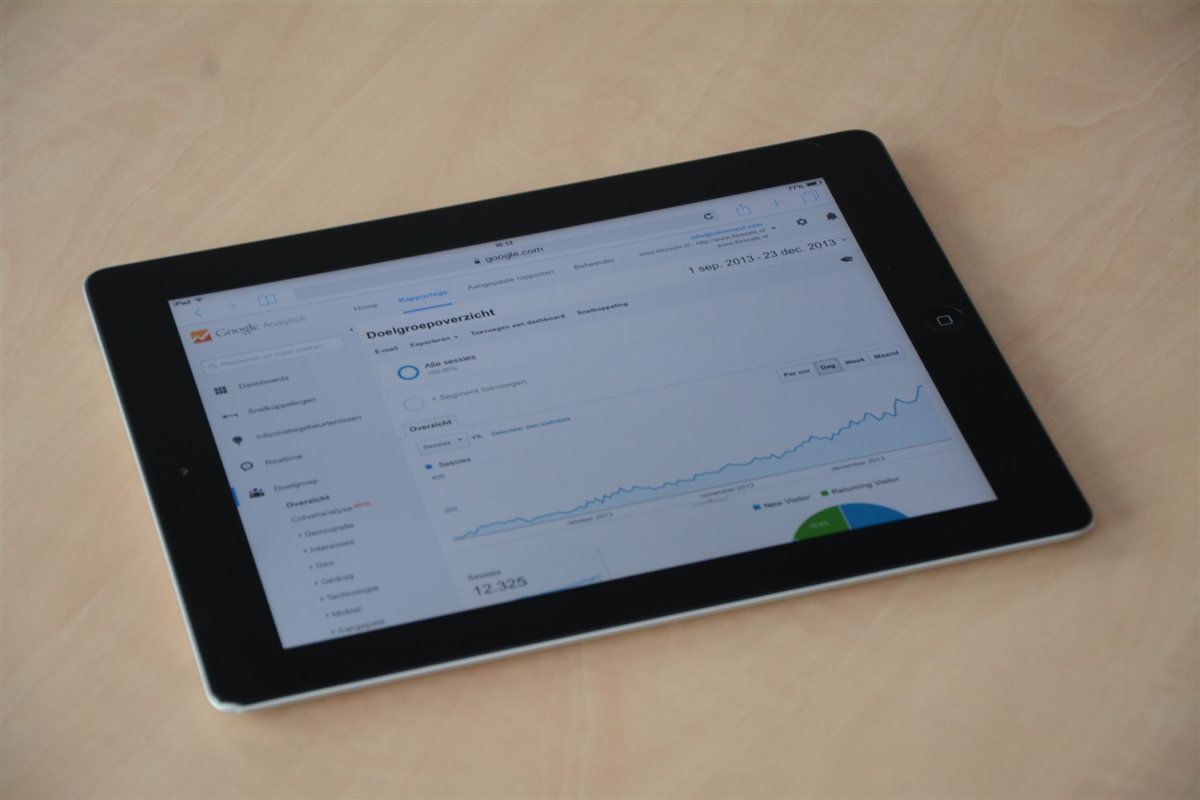
Go to analytics.google.com and sign in with your Google account. Click “Start measuring” if this is your first time, or “Create” then “Property” if you already have an account. Name the property after your business, set the time zone to Jamaica (America/Jamaica, UTC-5), and set the currency to Jamaican dollar.
Under “Data streams,” click “Web,” enter your website URL, and give the stream a name. Google will generate a Measurement ID that starts with “G-“. Copy that.
How you add the code to your website depends on your platform. On WordPress, the easiest method is to install the Site Kit by Google plugin, which connects your site to GA4, Google Search Console, and Google PageSpeed Insights from a single dashboard. On a custom-built site, your developer adds the GA4 snippet to the `
` section of every page.Within 24 hours of installation, data will start flowing. Within a week you will have enough to spot patterns.
The reports that matter most for Jamaican businesses
GA4 has a lot of reports. Most of them you can ignore. These are the ones worth checking weekly.
Acquisition overview shows where your visitors come from: organic search (Google), direct (typed your URL), social (Facebook, Instagram), or referral (another website linked to yours). If most of your traffic comes from direct visits, that means people already know your name. If it comes from organic search, your SEO is working. If social is your main source, you are heavily dependent on platforms you do not own.
Pages and screens shows which pages get the most visits and which ones lose people quickly. A high exit rate on your pricing page or contact form is a warning sign worth investigating.
Conversions tracks specific goals you define, like someone submitting your inquiry form or clicking your WhatsApp link. This is where GA4 earns its place because it connects visitor behavior to real business outcomes. Set up at least one conversion event in your first week.
Audience demographics (under User > User attributes) tells you where your visitors are located and what devices they use. For Jamaican businesses, it is common to see a significant portion of traffic from the United States, the United Kingdom, and Canada, which reflects the diaspora market. If most of your visitors browse on mobile, your site needs to load fast on a 4G connection.
Understanding your audience with GA4’s exploration tools
Beyond the standard reports, GA4 has an “Explore” section where you can build custom analyses. One useful exploration for Jamaican businesses is a funnel analysis: define the steps someone would take to become a customer (landing page visit, then service page, then contact form, then thank-you page), and GA4 shows you exactly where people drop off.

If 100 people visit your homepage but only three make it to the contact page, something between those steps is breaking the flow. GA4 helps you identify the exact point so you can fix it.
Connecting GA4 to Google Search Console
GA4 becomes significantly more useful when you link it to Google Search Console. Search Console shows you which search terms people use to find your site on Google. When you connect the two tools, you can see not just what keywords bring visitors but what those visitors do once they arrive.
For a Jamaican business targeting local search terms like “web design Kingston” or “online store Jamaica,” this combination tells you whether the people finding you through those terms are actually converting into inquiries. If they are not, the problem might be the landing page, not the keyword.
Setting up goals and conversion tracking
The most important thing you can do in GA4 within the first two weeks is define at least one conversion. In GA4, conversions are called key events. Go to Admin, then Events, and look for events GA4 already captures automatically. “form_submit” appears if your contact form fires a standard submission event. Click the toggle to mark it as a key event, and it will start appearing in your conversion reports.
If GA4 does not automatically detect your form submission, you will need Google Tag Manager to set up a custom trigger. This is a five-minute task for a developer or someone comfortable with the Tag Manager interface.
Our team can set up goal tracking as part of a website maintenance plan so you always know whether your site is actually generating leads.
Common mistakes Jamaican business owners make with GA4
The most common mistake is installing GA4 and then never looking at it. The second most common is looking at raw visitor numbers and treating a growing number as automatic success without checking whether those visitors are doing anything useful.
A website with 500 monthly visitors that generates 20 inquiries is doing better than one with 2,000 visitors that generates three. Track outcomes, not just volume.
Another common error is not filtering out your own traffic. If you visit your site regularly to check it, your IP address inflates the numbers. In GA4, go to Admin, Data Streams, your stream, and then Configure Tag Settings to add internal traffic filters.
Related reading
If you are still setting up the fundamentals of your online presence, read our guide on how to rank on Google in Jamaica and our Google Business Profile setup guide for the full local SEO picture.
Frequently asked questions
Is Google Analytics 4 free for Jamaican businesses?
Yes, Google Analytics 4 is completely free. You sign up with a Google account, install a small code snippet on your website, and get access to the full suite of reports. There is a paid version called Google Analytics 360, but the free version covers everything a Jamaican small business needs.
How long does it take for data to show up in GA4?
Data typically appears in the real-time reports within seconds of installation. Standard reports populate within 24 to 48 hours. You need about seven days of data before the numbers are meaningful enough to draw conclusions from.
Can I use Google Analytics 4 on a WordPress site?
Yes. The easiest method on WordPress is the free Site Kit plugin from Google, which installs the tracking code automatically and gives you a GA4 dashboard inside your WordPress admin. Alternatively, a developer can add the GA4 snippet directly to your theme files.
What is the difference between users and sessions in GA4?
A user is an individual person who visits your site. A session is one continuous visit. If the same person visits your website on Monday and again on Thursday, that counts as one user and two sessions. Sessions help you understand visit frequency; users help you understand audience size.
How do I know if my Jamaican website is getting enough traffic?
There is no universal benchmark, but a useful starting point for a small Jamaican business is 200 to 500 monthly visitors for a new site and 1,000 or more for an established one. More important than raw traffic volume is whether those visitors are taking actions like contacting you, filling out forms, or making purchases.
What is the difference between a session and a user in Google Analytics 4?
A user is a unique individual who visited your website. A session is one visit, ending after 30 minutes of inactivity. One user can have multiple sessions across different days. For a Jamaican business, growing unique users means more new people are finding your site, while a high number of sessions per user suggests visitors return to research before deciding.
